50 Micro SaaS Ideas
Concrete, narrow product ideas organised into 10 categories, five in each, from invoice reminders to niche CRMs and AI assistants.
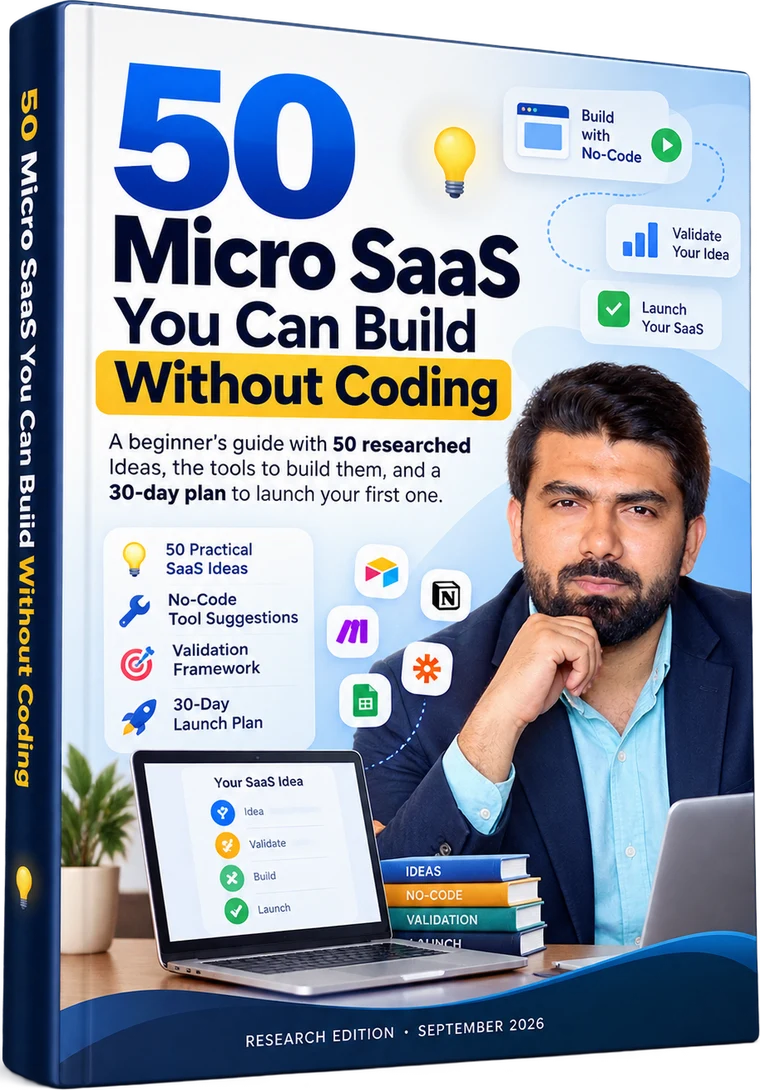
Find a practical software idea, validate demand, and follow a 30-day roadmap to launch your first version.
You don't need to be a professional programmer to explore Micro SaaS. For every idea, the guide shows you:
Launch price ₹100 · goes up to ₹999 after launchDigital PDF — download link provided after successful payment
Most first-time builders get stuck on the same few questions. As the book puts it, good ideas are noticed, not invented. The hard part is knowing what to do next.
“I have an idea, but I don't know what to build.”
“I don't know whether anyone would actually pay for it.”
“I don't know which no-code tools to use.”
“I don't want to spend months building something nobody wants.”
“I don't know how to turn an idea into a small, testable product.”
This book is designed to help you move from
A practical, beginner-friendly guide built around one question: what's the smallest useful thing you could build, and would anyone pay for it?
Concrete, narrow product ideas organised into 10 categories, five in each, from invoice reminders to niche CRMs and AI assistants.
Every idea names suggested no-code tools, such as Airtable, Glide, Softr, Bubble, Zapier or Make, so you know where to start.
Each idea identifies its intended customer, like freelancers, tattoo studios, small landlords or independent podcasters.
Each idea includes a low-cost way to test demand, often something you can do by hand this week, before writing a single workflow.
An Easy, Medium or Hard rating on every idea, with what each level means in time and complexity for a beginner.
A four-week framework: validate and choose tools, build the core loop, add accounts and payments, then launch to your waitlist.
The book encourages you to stay close to a problem you understand. Start with the category that sounds like people you already know.
Invoices, proposals and client emails, for people used to paying for small time-savers.
5 ideasCustomer tracking built for one profession, in that profession's own vocabulary.
5 ideasDeposits, travel routes, site maps and intake forms that generic booking tools struggle with.
5 ideasTools that repurpose content, collect proof or explain the numbers behind the work.
5 ideasLight tools for delivery, progress and recognition, without a full learning platform.
5 ideasHelpers that do one marketing job well, at a low monthly price.
5 ideasFocused assistants aimed at one job for one audience, built with automation tools and AI models.
5 ideasSimple products that protect margins or remove a daily headache for busy owners.
5 ideasDeadline, licence and paperwork tracking, where missing a date can cost real money.
5 ideasStatus pages, churn answers and revenue clarity for people running small software products.
5 ideasAll 50 ideas use the same card layout, so you can compare them side by side. Here's idea #01, exactly as it appears in the book.
Sends friendly payment reminders for overdue invoices on a schedule, with a slightly firmer tone each time, so freelancers stop chasing money by hand. It also shows which invoices are paid.
| Who pays | Freelancers and small agencies that cannot justify accounting software |
|---|---|
| Build with | Airtable or Google Sheets, Make or Zapier for timed emails, Stripe or PayPal payment links |
| Start price | $15 per month, flat starting hypothesis |
| Difficulty | Easy · Inspired by: Dodo Payments guide |
| Validate by | Ask ten freelancers how many invoices were late last quarter. 'Several' is a good sign. |
A named audience, so you know exactly who to talk to first.
Suggested no-code tools for the data, the interface and the automations.
A starting price to test with real customers, not a forecast.
Easy, Medium or Hard, so you can match ideas to your time and skills.
A cheap, concrete test you can run before building anything.
Start prices are hypotheses to test. Where the source guide gave no price, the book marks it “suggested”. Tool suggestions and difficulty ratings are the editors' judgment, not measured data.
Narrow, specific and aimed at people with a problem that keeps coming back.
Tracks leads by stage, schedules viewings, stores documents and reminds the agent when to follow up.
Lease-renewal reminders, maintenance request intake and tenant messages for people managing a handful of rentals.
Turns an episode into show notes, chapter markers, a summary paragraph and social post ideas.
Scores subject lines, flags spam-trigger words and suggests better versions.
Before a call, pulls calendar details, earlier notes and company background into a one-page brief.
Works out the cost of each dish, flags low margins and scales recipes for different batch sizes.
Inspectors capture photos and notes on a phone, and the tool produces a branded PDF report.
Reads a product's commits or task tickets each week and drafts a customer-friendly changelog post.
And that's just a preview. The full guide contains 50 ideas.
No-code means building software by arranging ready-made blocks and rules instead of writing code. The book breaks every product into six layers, compares popular tools and gives you a simple rule for choosing.
Tool names and pricing can change. Confirm current pricing on each provider's official website before committing. Product names belong to their owners; mentioning them is not an endorsement.
Where information lives
What customers see and click
“If a deposit is unpaid, send a reminder”
Connects apps, including AI models
The front door that collects sign-ups
How you get paid
The book calls building first and asking later the most expensive mistake in Micro SaaS. Validation costs almost nothing and can save months.
Have 10 to 15 conversations with people in your target group.
Ask what they did in the past and what it cost them, not whether they like your idea. Polite enthusiasm is not evidence.
One page with the solution, the price and a clear button like “Join the waitlist”, sent to 100 to 200 relevant visitors.
Ask for money early. A pre-order or founding-member payment tells you something no survey can.
One core loop: one thing a customer does, and one valuable result they get. Everything else can wait.
It also tells you when to walk away, and includes interview questions you can borrow.
Keep version one small. Each week ends with something concrete you can point to.
A suggestion, not a formula. Easy ideas may take less time and Hard ones longer. The point is to get to real users quickly.
Get this eBook · ₹100The book ends with a one-page, 30-day launch checklist you can print and tick off. It finishes with an honest decision: improve, pivot or stop.
Find a real problem. Confirm someone would pay. Build the smallest thing that solves it.
It's the most important advice in the book, and every chapter is designed around it:
Real pages from the guide. Select a page to enlarge it.
The book gives you the material. What you build with it is up to you.
50 ideas to skim, plus a nudge to mark five and keep your top two.
A five-question scorecard for comparing ideas before you commit.
The six layers of a product and which tools fit each one.
Conversations, a landing page test and the signals to look for.
Four focused weeks, plus guidance on pricing and finding first customers.
One page, days 1 to 30, ending with a clear decision point.
The guide was assembled in September 2026 from a review of published Micro SaaS and no-code guides, tool comparisons and founder surveys. Every description is written in the editors' own words, and the sources are listed at the back.
Tool suggestions and pricing ranges marked “suggested” are editorial judgments, not measured data.
Where a source-reported number couldn't be traced to the original study, the book says so.
Tool pricing changes quickly. Confirm current prices directly with each provider.
The book does not guarantee income or business results. Every number is a starting hypothesis to test.

Secure payment•Digital product•Access after successful payment
Have a question before buying? Ask me on WhatsApp
Explore 50 ideas, then test one this month.
Get this eBook · ₹100No. The book is specifically designed around ideas that a beginner can plausibly build with no-code tools. Some ideas are easier than others, and every idea includes a difficulty rating.
No. It's a practical eBook (a 46-page PDF) containing 50 ideas, suggested tools, validation approaches and a 30-day launch roadmap.
No. The book explicitly makes no income promises. Pricing examples and source-reported figures should be treated as hypotheses or estimates, not forecasts.
No. For each idea it gives you the audience, suggested tools, a pricing hypothesis, a difficulty rating and a validation approach. It also provides foundational no-code guidance and a 30-day launch framework.
Examples include Airtable, Google Sheets, Glide, Softr, Bubble, Adalo, Zapier, Make, Carrd, Webflow, Framer and AI app builders. Mentioning a tool is not an endorsement, and prices should be confirmed with each provider.
Yes. The guide is written as a beginner-oriented introduction, while being clear that some ideas have more complex requirements than others.
After successful payment, the payment page will redirect you to a Thank You page where the download link is provided.
The guide provides ideas and frameworks. You're responsible for validating your chosen idea, complying with applicable laws and rules, and checking third-party tool terms.
Still have a question? Chat on WhatsApp
Explore 50 ideas, choose one worth testing, and follow a practical 30-day path toward your first version.
Digital PDF · Launch price ₹100